
Long Queues Reduce Bar and Restaurant Revenue
When customers are stuck waiting at the bar, they buy less, get frustrated and may leave before placing another order.
Digame
Let customers order while your team manages everything from one live dashboard — Live Orders Screen, collection display, broadcasts and wait-time tracking included.
No app download. No queues. No complicated setup.
Live Orders Screen
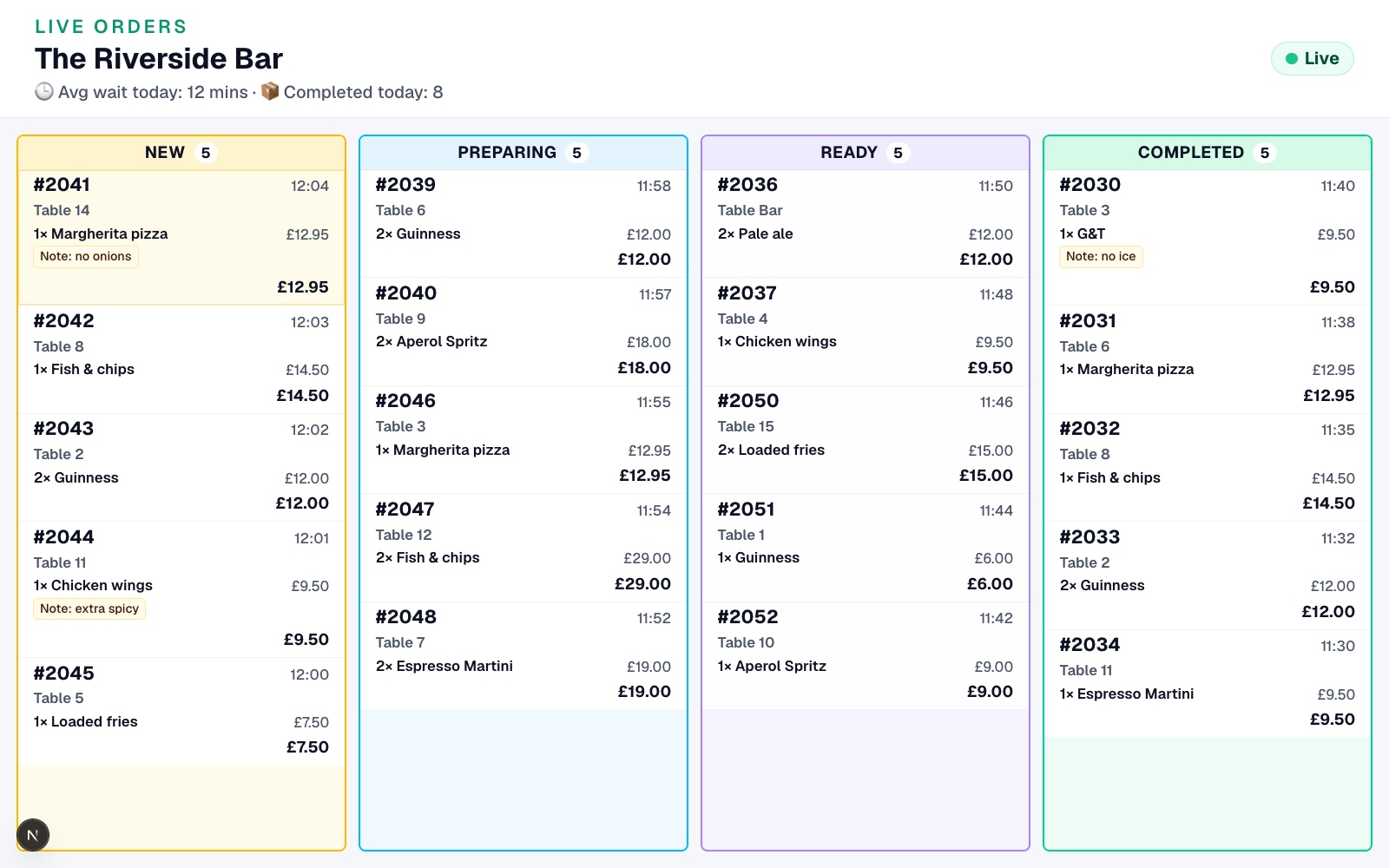
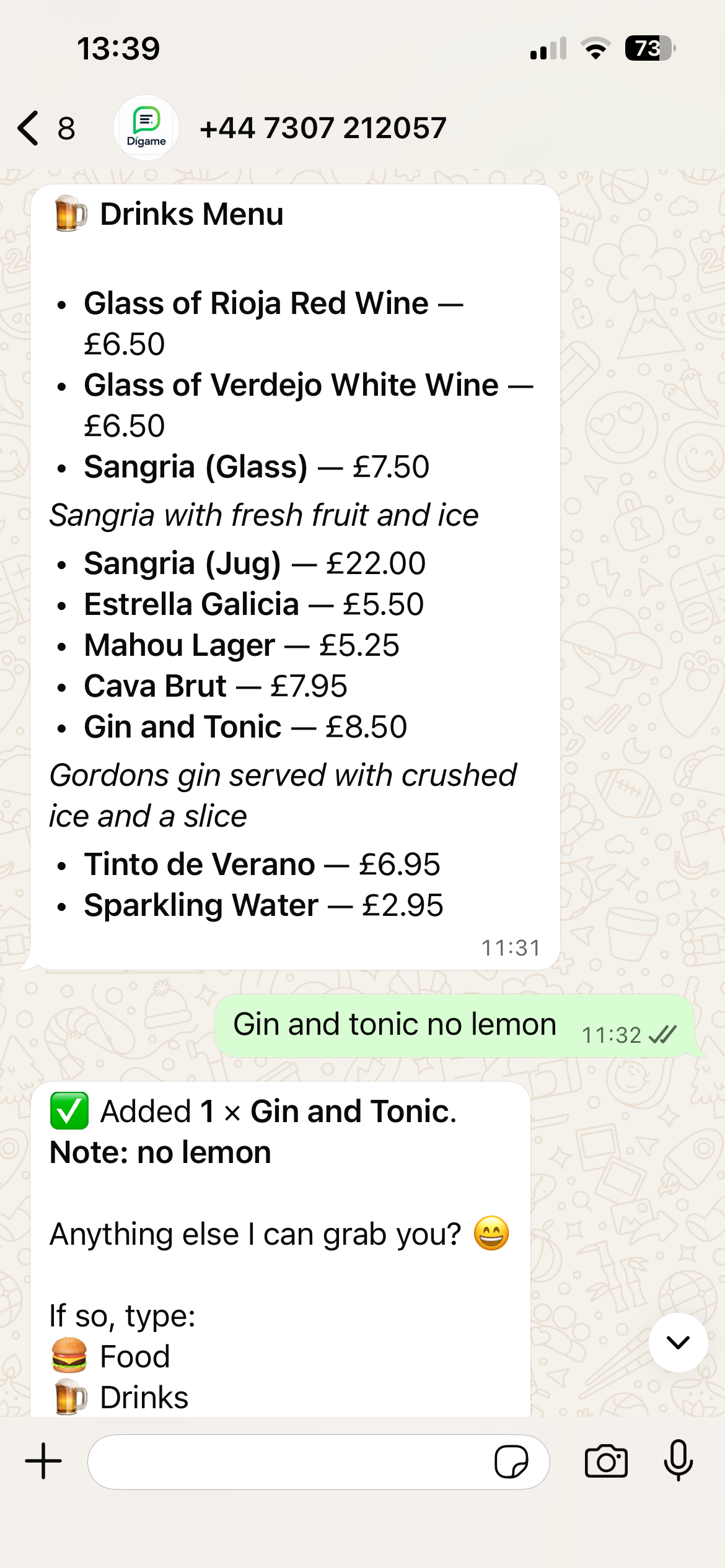
From QR scan to the Live Orders Screen — collection screen, broadcasts and wait times in one platform.
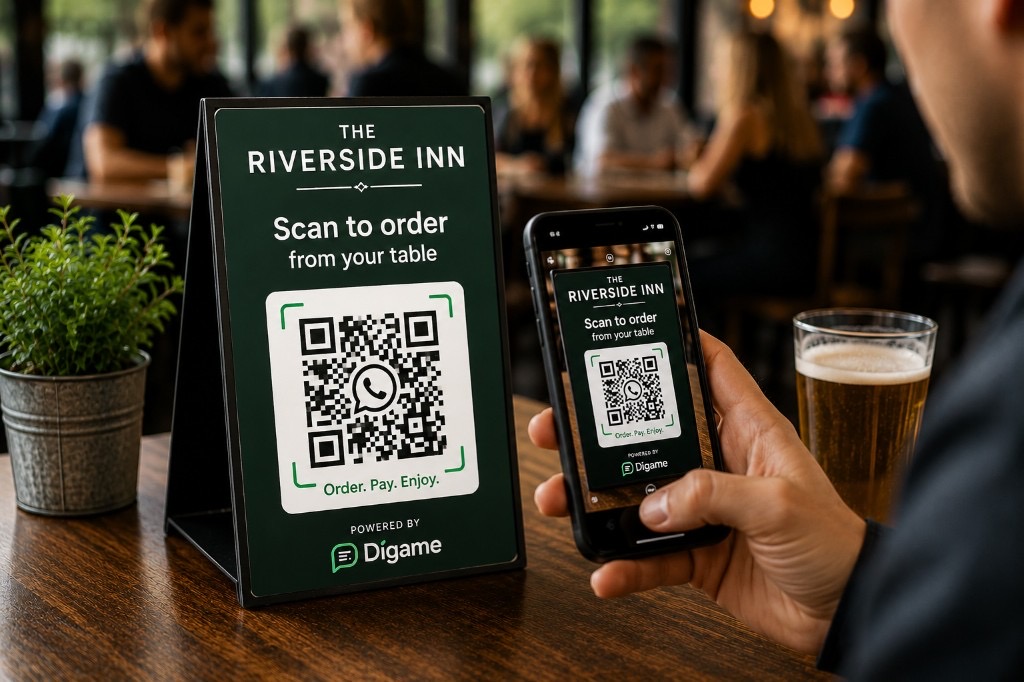
QR codes for tables, bars, pool areas, terraces or collection points — guests connect to WhatsApp ordering in seconds.
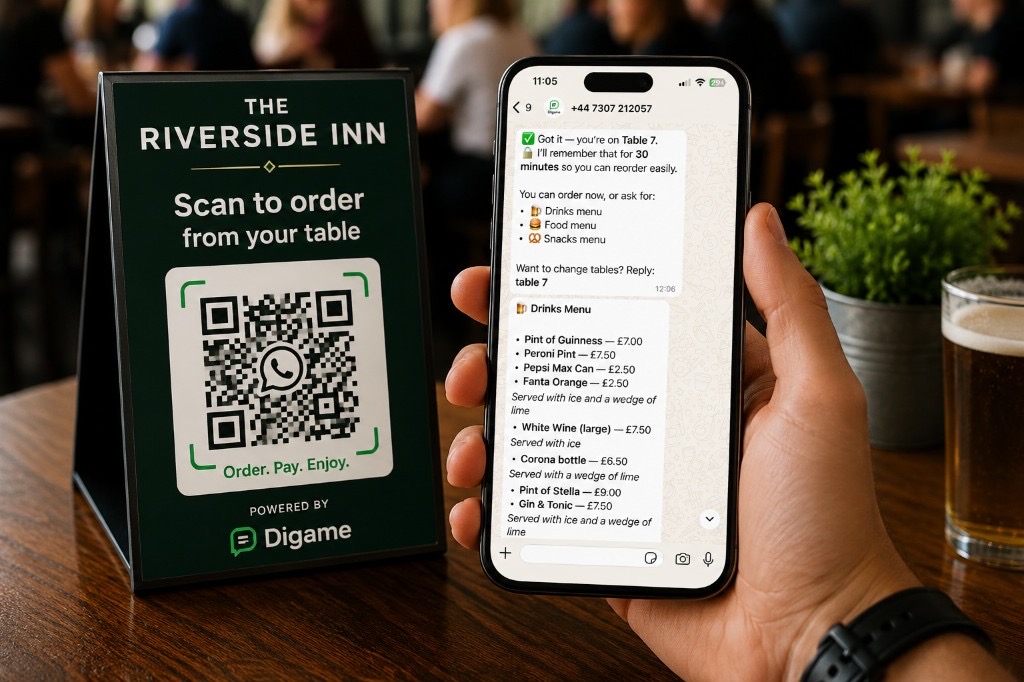
No app store, no sign-up wall. Customers order through WhatsApp — a channel they already use every day.
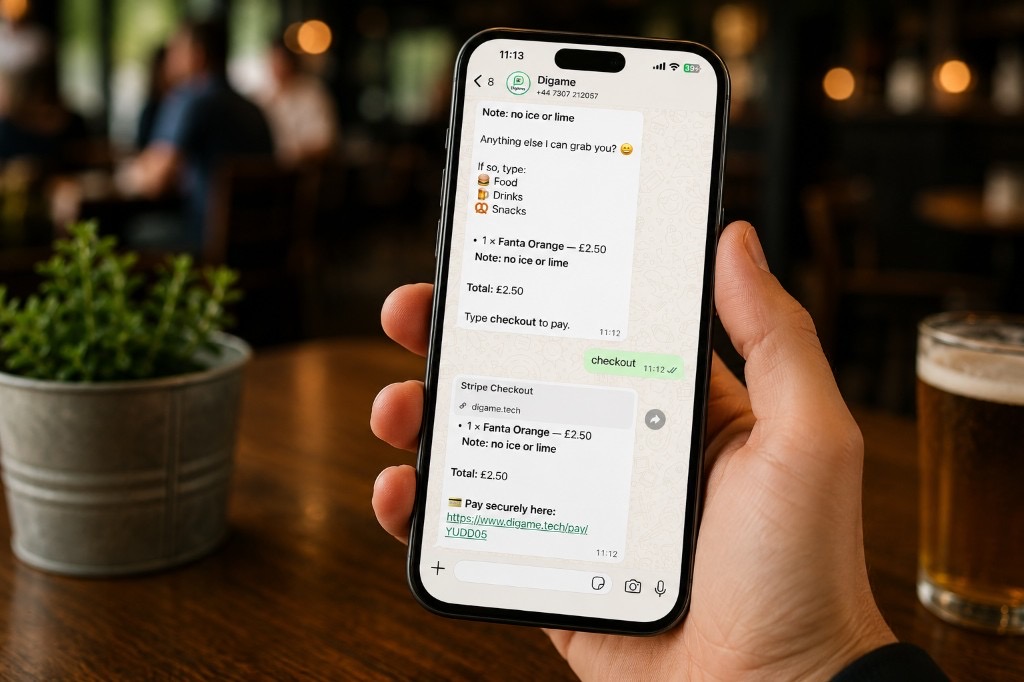
Menu descriptions, modifiers and simple requests like “no tomato” or “no ice” are captured before the ticket hits the bar or kitchen.
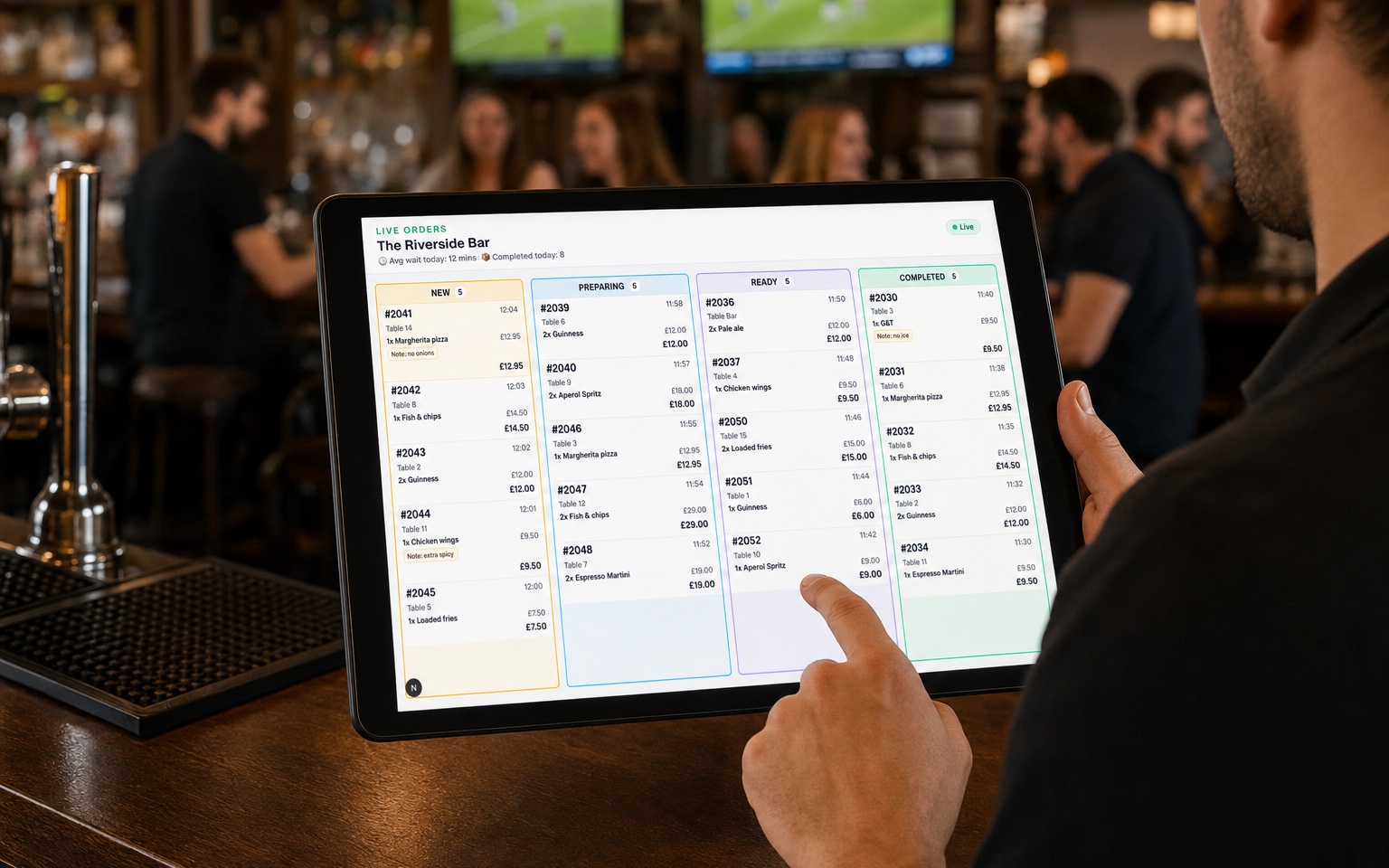
Orders appear instantly on the Digame dashboard. Move them through New, Preparing, Ready and Completed — keeping staff organised and customers informed.
Busy venues lose time and revenue when ordering relies only on queues, stretched staff or clunky app-based systems.
When customers are stuck waiting at the bar, they buy less, get frustrated and may leave before placing another order.
If ordering feels slow or awkward, customers give up. Digame keeps ordering inside WhatsApp so there is no app download or sign-up barrier.
Busy periods put pressure on bar and floor staff. Digame captures orders clearly so teams can focus on serving, preparing and handing over orders.
Many ordering apps ask customers to download, register or learn a new system. Digame opens directly in WhatsApp, using a channel customers already trust.
Give your customers a faster way to order.
Try DigameLive Orders Screen, collection screen, broadcasts, wait-time tracking and item notes — all in one live dashboard.
Customers scan a QR code and order through WhatsApp instantly, with no app store, no account setup and no new system to learn.
Create QR codes for tables, pool areas, terraces, bars and collection points so customers always start in the right place.
Paid orders appear instantly on your venue dashboard, ready to move through New, Preparing, Ready and Completed.
Show customers when their order is being prepared, ready for collection or completed on a dedicated venue display.
Display estimated wait times and track average order handling times so staff and customers know what to expect.
Capture requests like “no ice”, “extra sauce” or “no tomato” before the order reaches your team.
Customers order through WhatsApp. Staff manage fulfilment on the Live Orders Screen. Guests watch a wall-mounted collection screen — the complete venue ordering system.
Live Orders Screen
For bar, kitchen and service staff
Customer collection screen
Display on customer facing screens
From local pubs and golf clubs to festivals, stadiums and resorts, Digame adapts to different service models while keeping ordering simple for customers.
Digame can be set up in a matter of hours. Upload your menu, generate your QR codes and start taking WhatsApp orders through your venue dashboard — no complicated integrations required.
Perfect for cafés, pubs and smaller venues looking to introduce WhatsApp ordering quickly.
Upload your menu, generate QR codes and start taking orders from your dashboard.
Designed for busy bars and restaurants with multiple service areas, tables and higher order volumes.
Run table service, collection and live fulfilment from one venue dashboard.
Built for festivals, stadiums, fan zones and high-volume hospitality environments.
Scale across bars, concessions and collection points when demand peaks.
Self-service setup
Create your venue, upload your menu and start generating QR codes in minutes.
Start taking smarter orders without forcing customers to download another app.


